
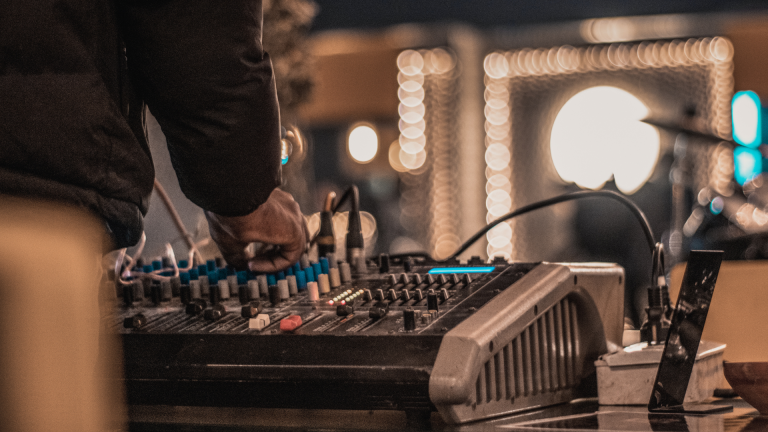
Somewhere between buying your first proper microphone and recording your first episode, every podcaster hits the same wall: the mic has a big three-pin plug (XLR) that doesn’t fit anything on a laptop, and the internet says you need “an interface or a mixer”, without ever explaining which, or why, in plain language.
We get this question a lot from Lagos creators. Here’s the plain language answer.
What they actually do
An audio interface is a translator. It takes the signal from your XLR microphone, converts it to digital, and sends it to your computer over USB. It has a gain knob to set how loud the mic is, and a headphone jack so you can hear yourself. That’s essentially it – small box, few buttons, does one job well.
A mixer does the translating and gives you live control: separate channels with their own levels, EQ to shape each voice, the ability to blend multiple mics, play jingles, mute a channel instantly, and send different headphone feeds to different people.
The modern twist is the podcast console (Rodecaster Pro and its cousins), which is a mixer redesigned specifically for podcasting: multiple mic channels, individual headphone outputs for every guest, sound-effect pads, recording direct to SD card (no laptop needed), and even a channel for calling in remote guests from a phone.
The decision, by show format
Solo show or interview-by-video-call
A simple two-input interface is all you need. One mic, one headphone output, done – spending more buys you nothing. Your money is better spent on the microphone itself and on fixing your room’s sound, both of which audibly improve every episode.
Two hosts in the same room
Either works. A two-input interface handles two mics fine; just check it has enough headphone routing for both of you to monitor (some entry-level interfaces share one headphone jack – a splitter fixes it). If you play intro music or ad drops live, a small console starts earning its place.
Three or more people in the room
Now the console wins, clearly. Here’s why: with three or four guests, your real problems become live problems. One guest is a natural shouter and one whispers – you need separate levels. Someone’s chair squeaks – you want to cut their channel during another speaker’s story.
Everyone needs headphones. A laugh peaks and distorts – per-channel limiters save the take.
An interface records the inputs; a console lets you manage the conversation. For panel shows, the dominant format in Lagos right now, this is the difference between an edit that takes an hour and one that takes a weekend.
Pair it with the right mics (see our guide to the best microphones for multiple podcast guests) and you’re operating at broadcast level.
Video podcasts
Same logic as above based on guest count, with one addition: consoles that record to SD card give you a clean audio backup independent of the computer running your cameras.
When a laptop crashes mid-session, laptops pick dramatic moments – the SD card doesn’t care. More on the full setup in our video podcast setup guide.
Three mistakes to avoid
Buying a DJ/band mixer for a podcast. That 12-channel Behringer from the music shop in Computer Village technically works, but it’s built for live music: no per-guest headphone feeds, no recording without a separate device, and a learning curve that fights you. Podcast consoles exist because this gap was real.
Ignoring headphone outputs. The most common spec people miss. Four guests monitoring on one shared output is chaos. Count headphone jacks before you count channels. (Monitoring matters more than beginners think – it’s a recurring theme in our podcast gear mistakes list.)
Buying before you’ve operated one. A console you don’t know how to drive is a liability on recording day. Which leads to the smartest move on this page…
Try both before you buy either
This is one of those decisions that’s obvious after you’ve recorded with each and confusing before. So don’t decide on specs – decide on experience.
Rent a kit with an interface for one session and a console for another. Feel the difference in your own workflow, with your own co-hosts.
Our rental packages pair the right brain with the right mics automatically based on your format (current packages here), and the technician who delivers it will show you how to drive it. By the time you buy, if you still want to, you’ll know exactly what you’re buying and why.
For the rest of the gear around the interface – mics, headphones, stands, the works – start with the complete podcast equipment checklist.
Tell us your format – how many people, video or audio, where you’re recording – and we’ll tell you in one message whether you need an interface or a console, and which one. Chat with 527 Sounds on WhatsApp.